 Follow Us on Google
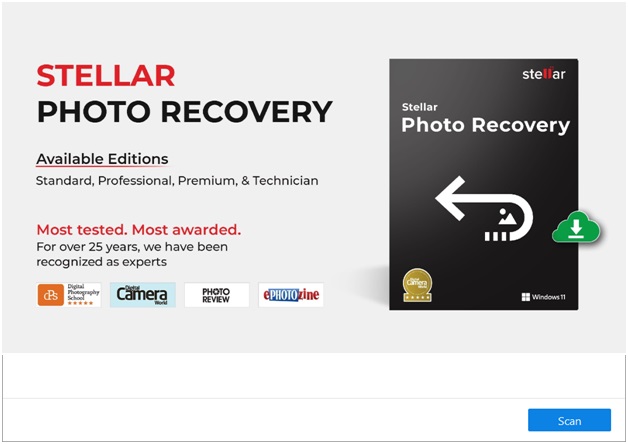
In today’s digital age, our lives are punctuated by the countless photos and videos we capture, especially during significant events, vacations, and cherished moments. These digital mementos hold immense sentimental value, encapsulating the essence of our lives, experiences, and relationships. However, there comes a time when we might face the heart-wrenching reality of losing these precious memories due to a corrupt SD card. Fortunately, there’s a solution: Stellar Photo Recovery – Premium. In this extensive guide, we’ll explore how you can recover deleted photos from SD card using Stellar Photo Recovery – Premium, ensuring your priceless memories are never lost to the void.

The Significance of Digital Memories
In the age of smartphones and digital cameras, we capture moments with the ease of a click. Be it the radiant smile of your loved ones, the breathtaking landscapes of your travels, or the milestones achieved in life, every photo and video is a testament to the moments that define us. These digital memories become an integral part of our lives, serving as a means to relive those beautiful moments and share them with friends and family.
However, the convenience of digital media also brings with it a degree of vulnerability. One of the common nightmares that every photographer, whether amateur or professional, dreads is a corrupt SD card. It can happen unexpectedly, turning your treasured memories into inaccessible data. But before you give up hope, let’s introduce you to Stellar Photo Recovery – Premium and show you how it can be your lifeline in recovering those seemingly lost photos and videos.
Stellar Photo Recovery – Premium: Your Savior in Times of Crisis
Stellar Photo Recovery – Premium is a comprehensive and robust software solution designed to recover lost or deleted photos, videos, and multimedia files from a variety of storage media, including SD cards. With its advanced algorithms and user-friendly interface, this software is the go-to choice for individuals seeking to retrieve their cherished memories from the clutches of a corrupt SD card.
Now, let’s embark on a journey through the process of recovering photos and videos from a corrupt SD card using Stellar Photo Recovery – Premium.
Step 1: Download and Install Stellar Photo Recovery – Premium
Your first step on the road to recovering your precious memories is to download and install Stellar Photo Recovery – Premium on your computer. You can easily find the software on the official Stellar website. Ensure that you select the version compatible with your operating system, whether it’s Windows or macOS.
The installation process is straightforward, and you’ll be guided through it with on-screen instructions. You can also choose your preferred installation location and create desktop shortcuts for convenient access.
Step 2: Connect Your Corrupt SD Card
With Stellar Photo Recovery – Premium successfully installed, your next move is to connect your corrupt SD card to your computer. You can use a card reader or connect your camera, smartphone, or any device containing the SD card directly via USB. Ensure that your computer recognizes the SD card as a removable drive.
Step 3: Launch Stellar Photo Recovery – Premium
Now that your corrupt SD card is connected, launch Stellar Photo Recovery – Premium. The software’s user-friendly interface will welcome you, designed to guide you seamlessly through the recovery process.
Step 4: Select the Drive or Device
Within the software’s interface, you will see a list of available drives and devices. Locate your corrupt SD card from the list and select it. This step is crucial as it instructs the software where to scan for lost or deleted photos and videos.

Step 5: Choose a Scan Option
Stellar Photo Recovery – Premium offers two primary scan options: ‘Quick Scan’ and ‘Deep Scan.’
- Quick Scan: Opt for this option if you suspect that your photos and videos were recently lost or deleted. It’s a faster scan that can recover recently deleted files that haven’t been overwritten by new data.
- Deep Scan: Choose the Deep Scan option if your data loss occurred some time ago, or if the Quick Scan didn’t yield the desired results. The Deep Scan is a more thorough and comprehensive scan that delves deep into the SD card’s data structures, making it ideal for older or more challenging data recovery scenarios.
For the purpose of this guide, let’s assume you’re using the Quick Scan option to recover your recently lost photos and videos.
Step 6: Initiate the Scan
Click the “Scan” button to start the scanning process. Stellar Photo Recovery – Premium will begin analyzing the selected corrupt SD card for lost or deleted photos and videos. The duration of the scan depends on the size of the SD card and the selected scan option. Please be patient as the software diligently searches for your lost memories.
Step 7: Preview and Select Photos and Videos
Once the scan is complete, Stellar Photo Recovery – Premium will present you with a list of recoverable photos and videos. Take a moment to browse through the thumbnails to preview your files. This is a critical step as it allows you to confirm that your lost memories are recoverable.
Carefully review the list and select the photos and videos you want to recover. The software provides filters and sorting options to streamline the selection process. Ensure you’ve chosen all the files you wish to retrieve.
Step 8: Recover Your Photos and Videos
With your desired photos and videos selected, click the “Recover” button. Stellar Photo Recovery – Premium will prompt you to choose a location to save the recovered files. It’s essential to select a different storage location from the one you’re recovering from to prevent overwriting any data.
Once you’ve designated the destination folder, click “Start Saving.” Stellar Photo Recovery – Premium will proceed to recover your selected photos and videos and save them to the specified location.
Step 9: Verify Your Recovered Photos and Videos
After the recovery process is complete, navigate to the destination folder you chose in the previous step. Here, you should find your recovered photos and videos. Take a moment to verify the quality and integrity of the recovered files. Stellar Photo Recovery – Premium is known for its ability to recover media files with minimal loss in quality, ensuring your memories are preserved as closely as possible to their original state.
Step 10: Backup Your Recovered Photos and Videos
Now that you’ve successfully recovered your photos and videos from the corrupt SD card, it’s crucial to create a backup. Copy the recovered files to a secure location, such as an external hard drive or cloud storage. This additional step guarantees that you won’t lose your precious memories again in the future.
Key Features of Stellar Photo Recovery – Premium
Stellar Photo Recovery – Premium offers an array of features and benefits that make it a top choice for photo and video recovery:
- Comprehensive Compatibility
Stellar Photo Recovery – Premium supports a wide range of storage devices, including SD cards, hard drives, digital cameras, memory cards, and USB drives. This versatility ensures you can recover media files from various sources.
- Extensive File Format Support
The software can recover a multitude of photo and video file formats, including JPEG, PNG, RAW, AVI, MP4, and more. This broad support ensures that you can recover files from various cameras and devices.
- Intuitive Interface
Stellar Photo Recovery – Premium boasts an intuitive and user-friendly interface designed for users of all levels of expertise. You don’t need to be a tech guru to utilize this software effectively.
- Advanced Scanning Options
With both Quick Scan and Deep Scan options, you have flexibility in choosing the scan method that suits your specific data recovery requirements. This flexibility significantly increases your chances of recovering lost files.
- Preview Before Recovery
The software allows you to preview recoverable photos and videos before initiating the recovery process. This feature is invaluable in confirming that you’re restoring the correct files.
- Save Scan Information
Stellar Photo Recovery – Premium enables you to save scan information, allowing you to resume the recovery process at a later time without needing to rescan the entire SD card.
- Secure Recovery Process
Throughout the recovery process, the software ensures the safety and integrity of your data. It doesn’t overwrite or alter the original data on the SD card, keeping your memories intact.
Conclusion
Don’t let a corrupt SD card rob you of your cherished memories. With Stellar Photo Recovery – Premium, you have a powerful and reliable ally to recover your lost photos and videos. In this guide, we’ve walked you through the step-by-step process of using Stellar Photo Recovery – Premium to retrieve your priceless memories from the brink of oblivion.
Remember, when faced with data loss, it’s essential to act promptly and avoid further use of the corrupt SD card. Download Stellar Photo Recovery – Premium, follow the steps outlined in this guide, and watch as your lost photos and videos are miraculously restored. With Stellar Photo Recovery – Premium, your memories are safeguarded, ensuring that the moments that define your life are never lost to the sands of time.